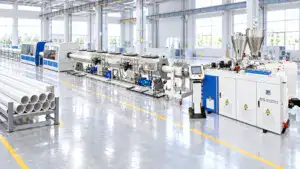
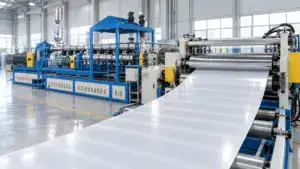
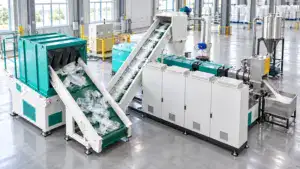
Running an extrusion machine well is not just about pressing start. You need the right material, the right settings, and a steady routine from startup to shutdown. If you understand each step of the extrusion process, you can reduce waste, protect the extruder, and get better plastic products with more consistent quality.
Step 1: Understand How the Extrusion Process Works
Before you run an extrusion machine, it helps to know what is happening inside it. Extrusion is a continuous process in which plastic resin or pellet feed enters the hopper, moves through the extruder barrel, melts, and exits the die as a shaped extrudate.
In simple terms, raw plastic is melted and formed into a continuous profile. That profile can become pipe, tubing, plastic sheets, plastic film, or other plastic profiles. This manufacturing process is widely used because it supports high-volume manufacturing and helps maintain a consistent cross-sectional shape.
A standard extruder includes these main parts:
|
Part
|
Function
|
|
Hopper
|
Feeds pellet or resin into the machine
|
|
Extruder screw
|
Conveys, melts, and mixes the polymer
|
|
Extruder barrel
|
Holds and heats the material
|
|
Die
|
Shapes the molten plastic
|
|
Cooling system
|
Helps the extrudate keep its form
|
|
Haul-off and cutter
|
Pulls and cuts the finished product
|
Once you understand that the process begins with feeding and ends with cooling and sizing, extrusion operations become much easier to control.
Step 2: Prepare the Plastic and Extrusion Equipment
Good results start before the machine runs. In plastic extrusion, poor preparation often causes unstable throughput, uneven profile quality, or polymer degradation later.
First, check your plastic material. Make sure the resin, pellet size, and polymer type match the product you want to make. If the material needs drying, do it properly. Wet plastic can create bubbles, rough surfaces, and weak extruded product quality.
Then inspect the extrusion equipment. Look at the hopper, screw, die, heater bands, sensors, and cooling lines. Clean out any leftover molten plastic from the last run, especially if you are changing material or color.
Use this simple checklist before startup:
- Confirm the hopper is clean
- Check resin or pellet feed quality
- Inspect the extruder barrel and die
- Verify heater zones and gauges
- Test water baths or air cooling
- Make sure the puller and cutter are aligned
A careful setup saves time, scrap, and frustration later.
Step 3: Start the Extruder and Build a Stable Extrusion Line
Now you can start the extrusion machine. Heat the extruder barrel by zone and wait until the temperatures stabilize. Don’t rush this stage. Plasticating works best when the heated barrel reaches the right range and the material can melt evenly.
When temperatures are ready, start the extruder at low speed. Feed a small amount of plastic into the hopper and let the screw begin moving material forward. As the screw and the barrel work together, pressure is created, and the polymer melt moves toward the die.
At this point, your goal is not maximum output. Your goal is smooth, stable flow.
What to watch during startup
- Melt pressure
- Barrel temperature
- Screw speed
- Extruder output
- Surface condition of the extrudate
If the material surges or comes out unevenly, slow down and recheck settings. Many operators make the mistake of increasing speed too early. A stable extrusion line always beats a fast, unstable one.
Step 4: Control Temperature, Speed, and Product Quality
Once the plastic exits the die, quality control becomes the focus. The molten polymer is still soft, so cooling, haul-off speed, and sizing all affect the final result.
In the plastic extrusion process, the melt leaves the die to form a profile, sheet, pipe, or tubing shape. Depending on the application, this may involve sheet extrusion, profile extrusion, tubing extrusion, film extrusion, or blown film extrusion. Different products need different dies, but the rule stays the same: you must maintain a consistent temperature and line speed.
Here are the most important control points:
|
Control point
|
Why it matters
|
|
Barrel heat
|
Prevents under-melting or burning
|
|
Screw speed
|
Affects throughput and melt stability
|
|
Die pressure
|
Helps shape a smooth extrudate
|
|
Cooling rate
|
Protects shape and dimensions
|
|
Puller speed
|
Keeps the profile uniform
|
If the extrudate looks rough, check whether the plastic is fully melted. If it sags, your cooling system may be too weak. If dimensions drift, the puller speed and extruder output may be out of balance.
This part of the extrusion process to ensure quality is where operators really make the difference. Screens and advanced control systems help, but your eyes still matter. Watch the surface, thickness, shape, and consistency from meter to meter.
Small adjustments made early can prevent a long run of scrap.
Step 5: Shut Down Safely and Keep the Extrusion Machinery in Good Condition
A good shutdown matters almost as much as a good startup. If you stop carelessly, material can harden inside the machine and make the next run harder.
Lower the feed, reduce screw speed, and purge the system based on the material you are using. Clean the die area, inspect the hopper, and record any issues from the run. This is especially important in continuous extrusion because leftover material can affect the next startup.
Basic daily maintenance should include:
- Cleaning the hopper and die face
- Checking the extruder screw for wear
- Inspecting heaters and sensors
- Looking for buildup in the extruder barrel
- Recording temperature and throughput trends
Modern extrusion machines are designed for efficient operation, but even the best extrusion machinery depends on steady maintenance. Whether you use a single-screw plastic extruder or twin screw extruders for more complex mixing, routine care helps ensure consistent output and longer machine life.
Common Extrusion Problems and Quick Fixes
|
Problem
|
Possible cause
|
Quick fix
|
|
Rough surface
|
Low heat or poor melt
|
Raise temperature slightly, check mixing
|
|
Burn marks
|
Overheating or material staying too long
|
Lower heat, purge system
|
|
Uneven pipe wall
|
Die or puller mismatch
|
Adjust die centering and line speed
|
|
Bubbles
|
Wet resin
|
Dry material before processing
|
|
Output fluctuation
|
Unstable feed or screw speed
|
Check hopper flow and motor control
|
Frequently Asked Questions
How do you start a plastic extrusion machine safely?
Start by checking the material, heating zones, die, and cooling system. Run the extruder at low speed first and wait until the extrusion process becomes stable before increasing output.
What materials can be used in plastic extrusion?
Many thermoplastic materials can be used, including PE, PP, PVC, PET, and other polymer blends. The right material depends on the specific requirements of the application.
Why is temperature control so important in extrusion?
If the plastic is too cool, it may not melt fully. If it is too hot, you may get molten plastic degradation, poor profile quality, and unstable extrusion operations.
What products can be made with plastic extrusion machines?
Plastic extrusion machines are commonly used to make pipe, tubing, plastic film, plastic sheets, pellet products, and many kinds of profile shapes.
Is extrusion better than injection molding?
They are used for different jobs. Extrusion is better for continuous products, while injection molding is used for individual molded parts.
Looking for a Reliable Plastic Extrusion Machine Manufacturer?
JWELL is a professional manufacturer focused on plastic extrusion machines and complete extrusion line solutions. We offer a wide range of equipment for pipe, profile, sheet, board, film, compounding, recycling, and other plastic processing applications.
If you are looking for a reliable manufacturer or supplier, please send us an inquiry. We’re happy to help you find the right extrusion equipment for your production needs.